Filters
Filters
App Types
ERP Types
Process Areas

Cleanup Unused Assets
The service will allow users to scan the asset pool within a given organization and delete unused assets that have no superior dependencies. The cleanup process is performed iteratively, cascading through dependency levels until the asset pool is fully cleaned.

Building Workflows with Local Storage
This tutorial demonstrates how to use Local Storage in Novacura Flow Connect to store, retrieve, update, and delete data locally across applications within the same client session.

Cascade Delete
A service offered by Novacura for deleting Applications, Portal Pages, and Automations, with the option to remove item-exclusive assets while preserving assets shared with other items.

M3 Flowscript Module Generator
A service for generating and managing Flow Script modules for Infor M3 programs, enabling simplified integration with Infor M3 business systems through reusable business API functions.
Building Interactive Gantt Charts
This tutorial demonstrates how to configure and use the Gantt Portlet in Novacura Flow Connect to visualize tasks, resources, dependencies, and project progress through an interactive timeline interface.

IFS Flowscript Module Generator
A service for generating and managing Flow Script modules for IFS OData services, enabling simplified integration with IFS business systems through reusable business API functions.

IFS Cloud API Lookup
This service helps users discover and analyze APIs used within Flow applications integrated with IFS Cloud. It provides a guided workflow to scan selected applications, view results in a structured format, and export data as a .csv file for further use.
Bulk Commit & Deploy
A service offered by Novacura for bulk committing and deploying Applications, Portal Pages, and Automations by updating shared dependencies or package items and deploying them across multiple environments efficiently.
IFS API Change Impact Analyzer
A service offered by Novacura for comparing and tracking changes in projections and their components across different IFS Cloud versions using OData.

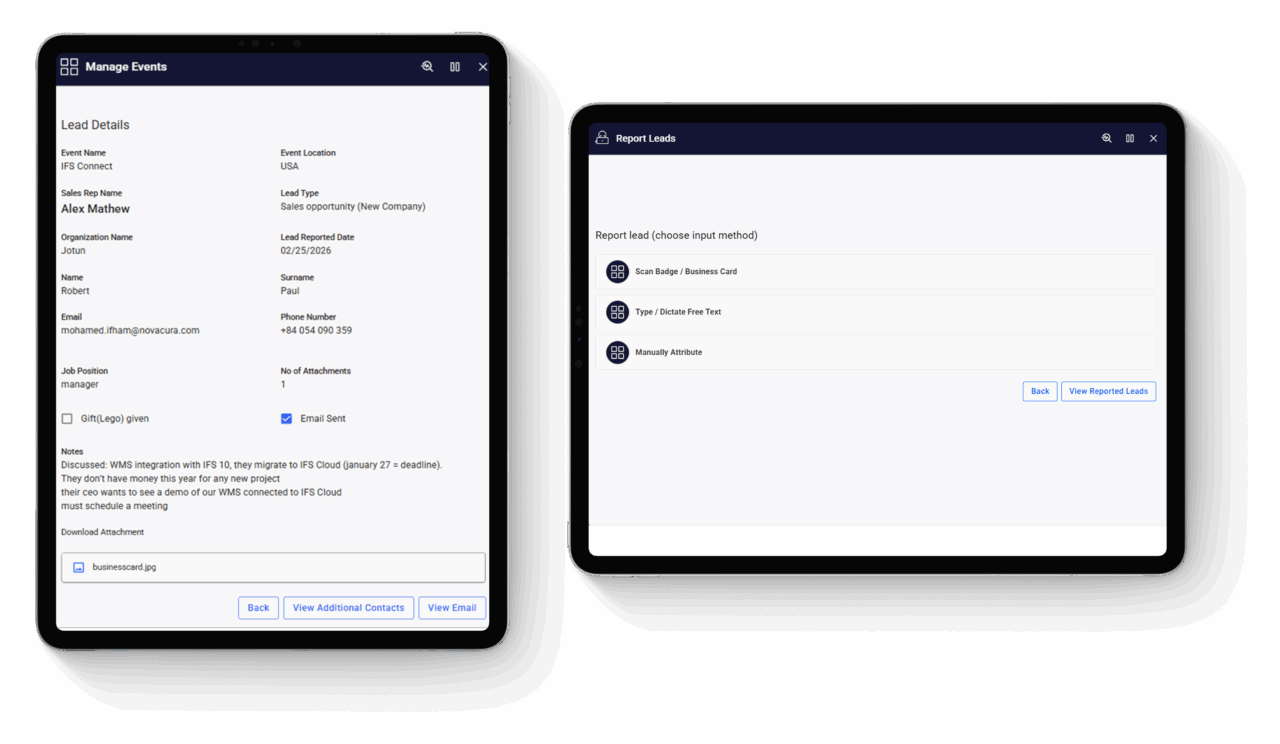
Event Lead Management
The solution provides organizations with a seamless way to plan events, capture leads in real time, and manage post event follow-ups. It enables structured event setup, AI-powered document intelligence scanning for lead capture, automated email engagement, and centralized lead tracking for improved sales effectiveness and faster lead conversion.

Translate Data Grids with AI
This is an Example application enables users to quickly translate CSV file content from one language to another using AI, while preserving the original table structure and format.
FileSystem Explorer
This tutorial demonstrates how to use the File System Connector to manage folders and files, including creating, moving, copying, and deleting files, as well as generating and merging PDF documents.
Building Multilingual Experiences
This tutorial shows how to implement multilingual support in Novacura Flow Connect using the Phrasebook and the ICU (International Components for Unicode) Message Format to manage translations across applications and portal pages.
Building Interactive Map Portlets
This tutorial shows how to configure the Map Portlet in Novacura Flow Connect to visualize geographical data, manage map markers, and trigger workflows through interactive map actions.
Extending Portal with Custom Content
This tutorial shows how to create custom portal interfaces in Novacura Flow Connect using the Custom Content Portlet with HTML, CSS, data sources, and interactive portal components.

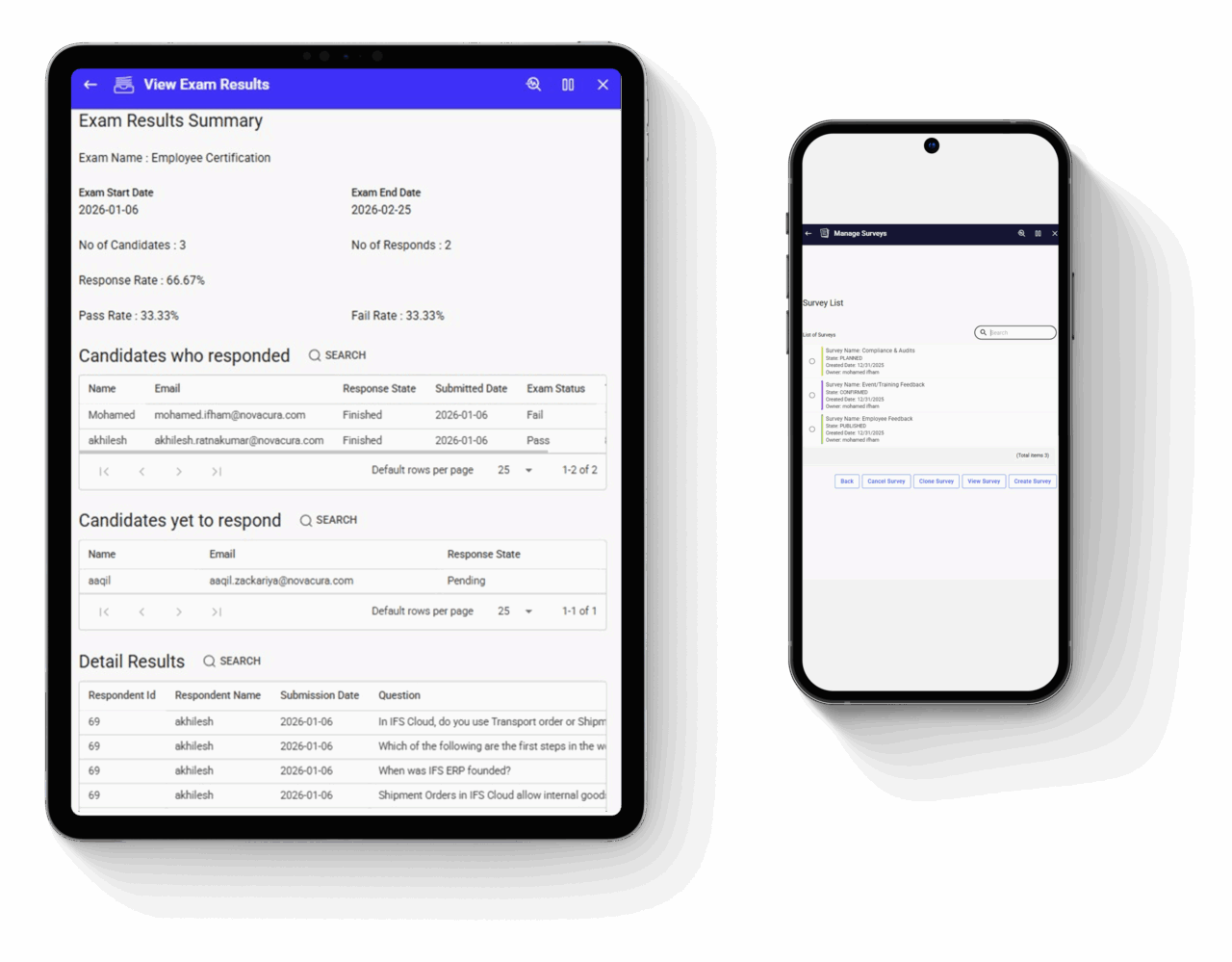
Survey & Exam Management
The Survey & Exam Management app provides organizations with a structured way to run surveys and exams across multiple stakeholder groups, supported by applications for questionnaire setup, participant management, automated delivery, and result evaluation.

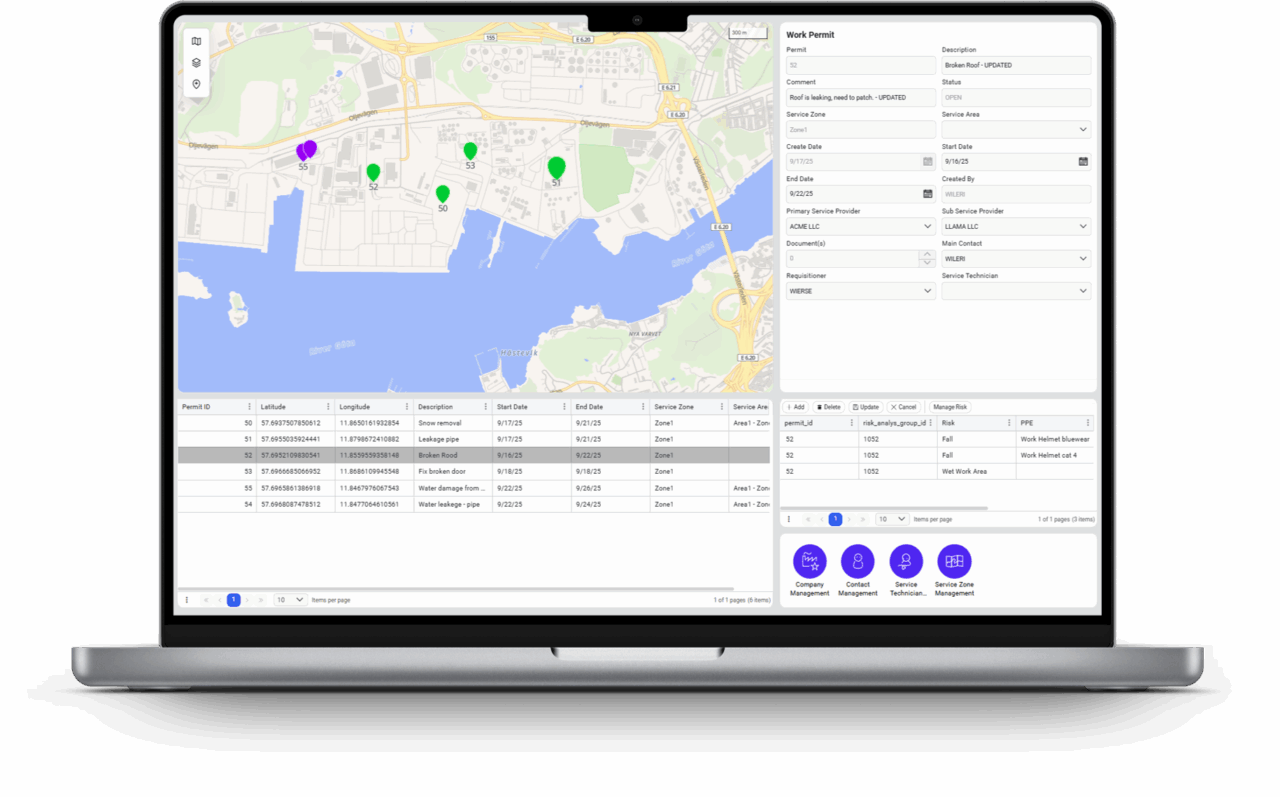
Work Permits Management
The Work Permit Management solution enables operations teams to plan, issue, and monitor work permits across service zones and locations. This solution includes a Portal view and a suite of Apps supporting scheduling, workforce coordination, site access control, and operational reporting.

Import Free File to Table
This is an Example application showcasing how to transform irregular free-form data into clean, structured tables for faster and smarter purchasing decisions.

Free Text to Form
This is an Example application showcasing how AI can be used to extract and classify structured information from unstructured user input.

Change Default Site (IFS Cloud)
Change user default site used in all warehouse apps.
Learn about: Warehouse Management App Package