Subscribe if you want to keep up to date with our latest applications
Filters
Filters
App Types
ERP Types
Process Areas

Building Offline-Ready Workflows
This tutorial shows how to preload data for offline use in Novacura Flow, run workflows offline, and sync data back when reconnected.

Fixed assets counting (IFS Cloud)
This application streamlines the Fixed assets counting (IFS Cloud) process in IFS by enabling fast, accurate status updates, photo attachments, and note-taking, all within a structured and efficient workflow.

Prefill Fields Using AI
This Example shows how to automatically prefill forms in flow using AI and external data sources, significantly reducing manual data entry.

Analyse Grid Data Using AI
This Example shows how to analyze and manipulate Excel data in Novacura Flow using AI-powered natural language commands alongside a grid interface.
Building Automations
This Tutorial shows how to configure and run scheduled automations in Novacura Flow using the Flow Connect Automation feature.

Employee Time Reporting Yearly Summary (IFS Applications)
The Employee Time Reporting Yearly Summary (IFS Applications) App offers employees a read-only view of their historical time reporting data across multiple years. With detailed insights into project-level reporting and the ability to switch between years, the application provides a clear, comprehensive overview of annual time contributions integrated with IFS.

Supplier Invoice Automation (IFS Applications)
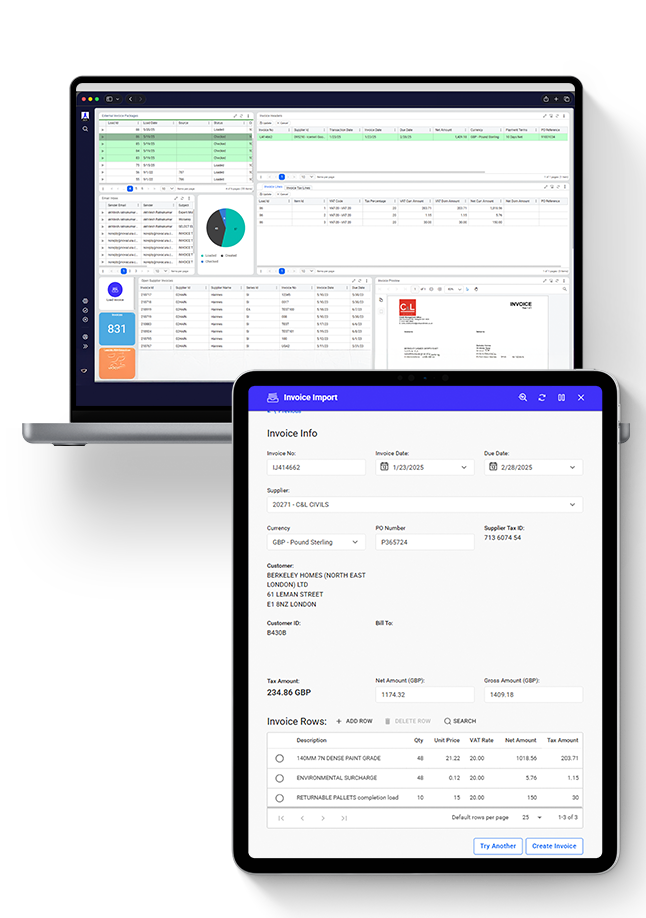
The Supplier Invoice Automation app streamlines the invoice intake process by automatically extracting and validating supplier invoices and creating manual invoices in IFS. This solution includes a Portal view and automation workflows to support both fully automated and user-assisted invoice processing.
Learn More

Employee Time Reporting (IFS Applications)
This application allows users to easily record time against projects through an intuitive interface. Seamlessly integrated with IFS, it supports multiple reporting intervals and provides essential tools for effective time management.
Learn More

Get Media File (IFS Applications)
This Example shows how to retrieve and display media files from IFS Applications10 business objects using Novacura Flow and standard APIs.

Get Document File (IFS Applications)
This Example shows how to retrieve and download document files from IFS Applications10 using Novacura Flow and standard APIs.
Attach Document File (IFS Applications)
This Example shows how to upload and attach document files to IFS Applications10 business objects using Novacura Flow and standard APIs.

Attach Media File (IFS Applications)
This Example shows how to upload and attach media files to IFS business objects in Applications10 using Novacura Flow and standard OData transactions

Submit Absence Request (IFS Applications)
A simple and intuitive tool for requesting time off – fully connected with your ERP system.

Manage Absence Request (IFS Applications)
Give your managers a clear, efficient tool to handle time-off requests – with everything synced to your IFS ERP.

Process Put-away (2-step) (Infor M3)
This is a component of the Supply Chain Execution application package for Infor M3 CloudSuite.
To learn about and download, click here.

Receive Goods (CR) (Infor M3)
This is a component of the Supply Chain Execution application package for Infor M3 CloudSuite.
To learn about and download, click here.

Shop Floor Reporting (IFS Cloud)
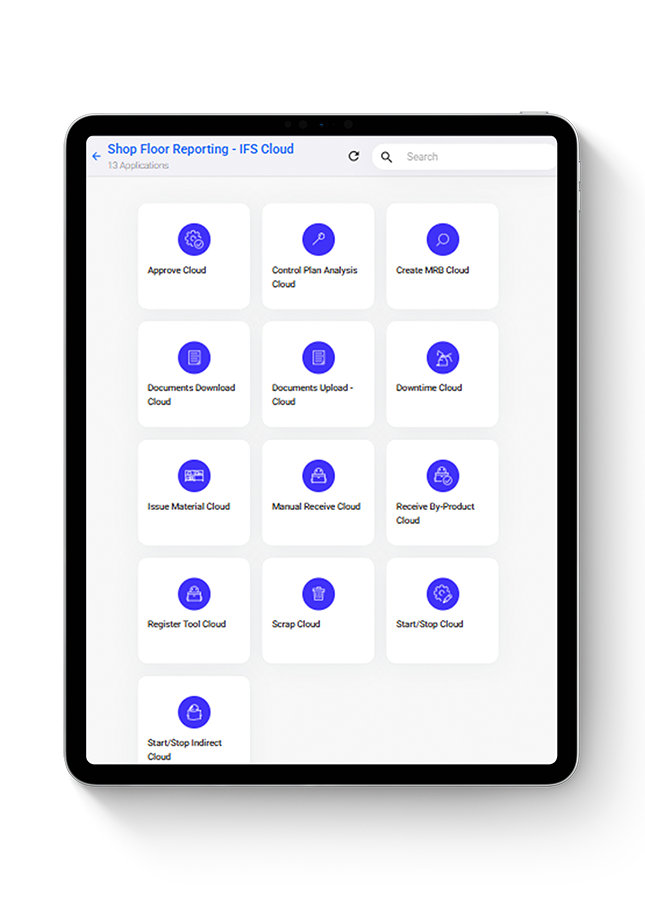
The shop floor reporting app provides a variety of manufacturing-related reporting possibilities for shop floor users. This solution includes a Portal view and a suite of Apps covering the frequently used shop floor operations.
Learn More
Hubspot Integration
This Example shows how to integrate HubSpot with an ERP system using Novacura Flow to automatically create customer records without user interaction.
Import CSV File
This is a component of the Examples application package.

Export CSV File
This is a component of the Examples application package.